What is Raspberry Pi used for?
What is Raspberry Pi used for?Date of publication: 30-01-2025 🕒 16 min read
The title question may seem a bit strange – but the answer will interest both complete laymen and advanced electronics enthusiasts. So let's tackle this very elementary issue: what exactly is a Raspberry Pi and what can it be used for?
At the outset, it should be noted that we will not deal here with construction issues or the nuances of the Raspberry Pi offer. These issues have already been described many times, including in our article on the subject, and we will certainly delve into them again in the future. To answer the title question as fully as possible, we will focus here exclusively on the supplier's flagship products, i.e., 4th and 5th generation computers. Many of the following information can be applied to the miniaturized "Zero" models, but not to the "Pico" boards, which have a completely different design and deserve a separate article.
In this article, we answer questions such as:
- Why has Raspberry Pi become so popular
- What is the easiest way to learn programming?
- What exactly is Linux?
- How to convince children and students to learn electronics?
- How to start programming artificial intelligence?
- What are Kodi and RetroArch applications?
- What home projects with Raspberry Pi are worth considering?
- What are single-board computers used for in industry?
- What is edge computing?
- How is Raspberry Pi used for scientific research?
What's in the box?
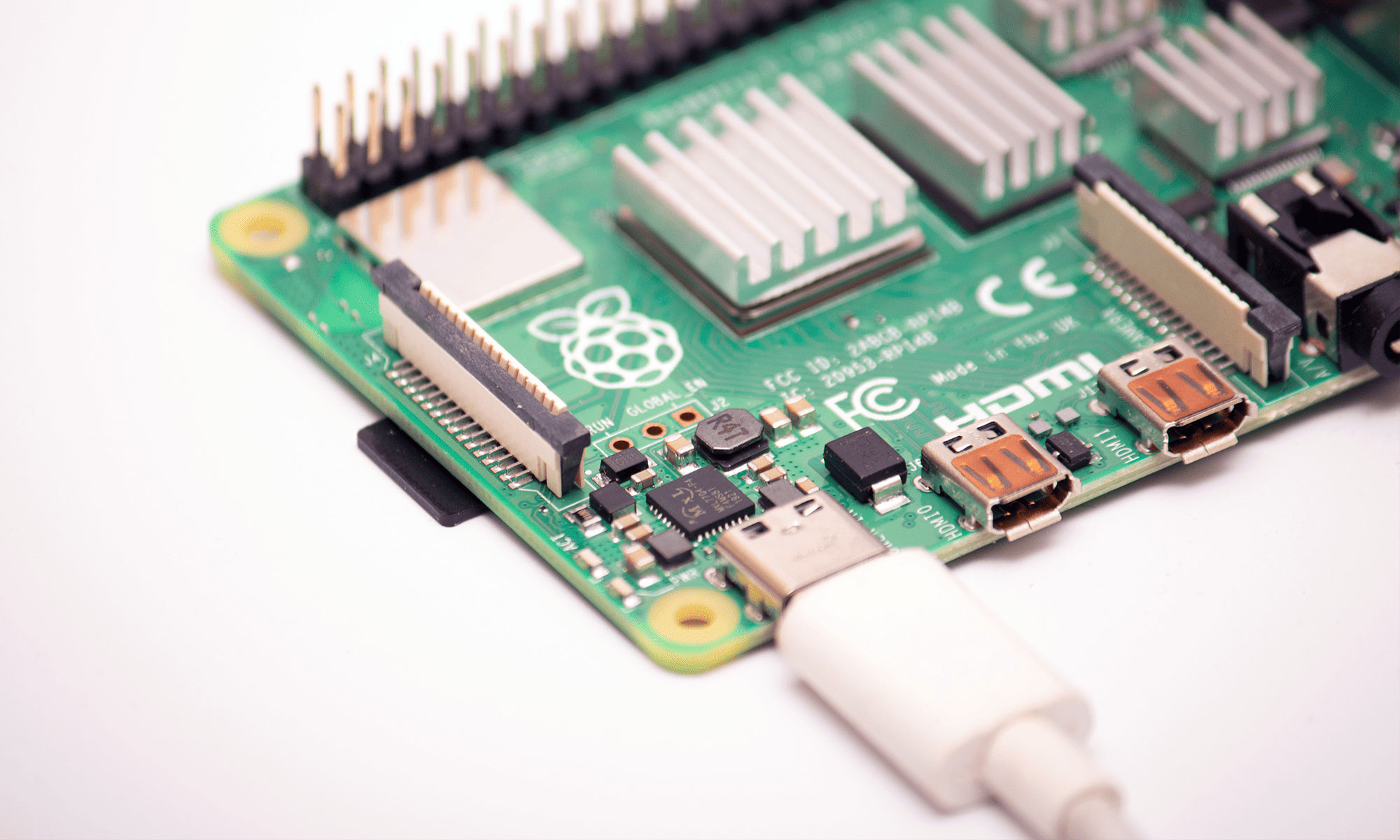
Raspberry Pi (RPi) is a single-board computer. "Single-board" quite literally, because all the components necessary for the device to work (processor, memory, graphics coprocessor, network controllers, WiFi, etc.) are placed on a single printed circuit board. These elements are non-replaceable, although peripherals, expansion cards, and accessories can be connected to the motherboard. Special connectors placed on the PCB (such as USB, HDMI, audio, DSI, CSI) are used for this purpose. The role of the "hard drive" in these computers is played by a regular microSD card – the same as used in smartphones or cameras.
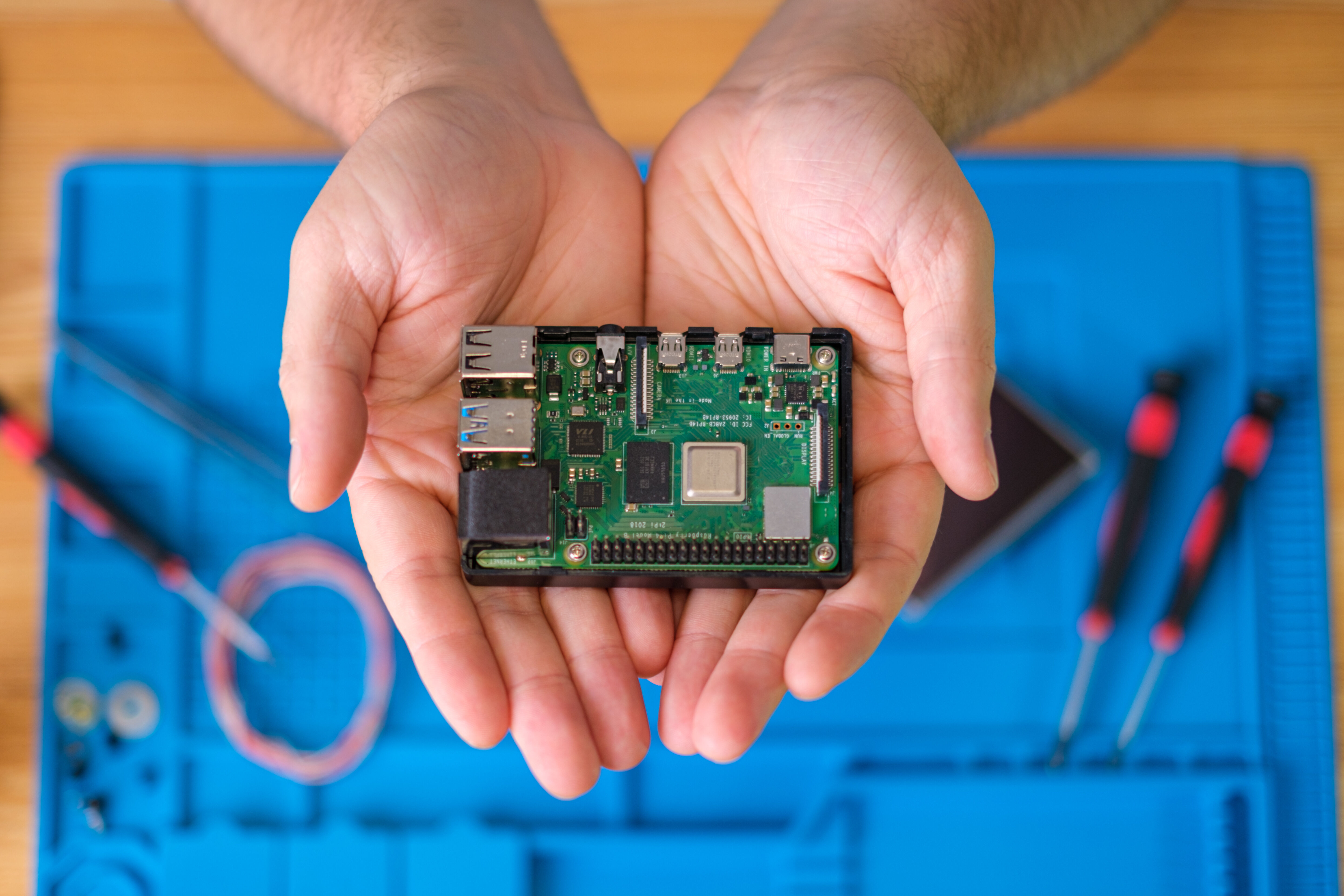
The Raspberry Pi board literally fits in your hands, measuring 85.6mm by 56.5mm.
Additionally, the board includes GPIO lines, i.e., general-purpose input/output lines, which can be operated using various programming environments. Thanks to this design, a low price for the devices (with impressive computing capabilities) and their extraordinary versatility have been achieved. RPi can function as a regular personal computer, but it can also become an aid in learning electronics – it can control automation systems, become the basis for a programmable relay, collect data from remote sensors... Well, let's try to list the purposes Raspberry Pi serves in the world around us.
Education
It's no wonder that the Raspberry Pi project was born in the United Kingdom, where the generation raised on 8-bit computers of the 80s remembers well the times of brands like Sinclair, Acorn, Tangerine, or Dragon. Besides games, the main advantage of the BBC Micro, ZX Spectrum, or Commodore 64 was the ease of programming them, often using user-friendly high-level languages like Basic. The interest of young people, which became the driving force of a nationwide education program, bore fruit after several decades, and its best illustration is the Raspberry Pi Foundation and the worldwide phenomenon of its computers, which were constructed primarily as educational aids.
Programming
Immediately after launching the Raspberry Pi OS system, the user gains access to several programming environments. The most basic of these tools is Scratch, an application developed by MIT (Massachusetts Institute of Technology) as an educational aid for schools. Commands and blocks of logical operations are presented here in the form of graphic blocks, which are connected like building blocks to create executable code.

Scratch environment window: on the left available command blocks, in the middle the program content, on the right the result of its operation.
Of course, this is a tool for very early education, essentially learning about elementary programming concepts. However, the possibilities of Raspberry Pi do not end there.
Among the many advantages of the computer, one can point out the fact that Raspberry Pi OS has Python 3 installed from the very beginning. This language has many advantages:
- it has a simplified syntax compared to other languages;
- it forces the programmer to create readable, organized code;
- its popularity and friendly community make it easy for any user to find support on the Internet;
- it has a rich collection of libraries from various fields, from handling electronic components to machine learning and building network servers, making it a versatile solution;
- it is a forward-looking language, constantly dynamically developed, and its knowledge is often expected by employers (not only from programmers).
Moreover, an integral part of the Raspberry Pi OS system is Geany, an environment for creating applications in C/C++. This is an option for advanced (or simply ambitious) programmers – but due to the low level of these languages, it allows you to use the full capabilities of the computer, not only its computing power but also the installed interfaces.
Linux

The SD card serving as the computer's hard drive can be removed and copied 1:1 as an image file. Then, if a failure occurs, it is enough to record the saved data back onto the micro SD medium. In other words: creating backups is trivially simple here. This provides a wide space for experiments with programming and the operating system; in case of a serious error, restoring a working configuration takes literally a few minutes. This possibility will be particularly attractive for users unfamiliar with Linux, which underlies Raspberry Pi OS.
Linux is an open-source operating system, many distributions (read: versions) of which are available free of charge. By design, it is software intended for network work, and therefore supports most modern applications. The graphical interface is an optional element of the environment and allows you to work on it similarly to Windows or MacOS. But nothing prevents you from using Raspberry Pi in a text environment, or even remotely, using a network terminal.
Basing RPi on Linux has two main advantages. First of all, the user will benefit from all the advantages of the system: a vast repository of free software, high security, stability, adaptability, regular updates. On the other hand: in times of ubiquitous technology, it is worth improving your IT skills. And here, a single-board computer is an ideal aid in learning the fundamentals of Linux and how to operate within it.
Electronics
We have already mentioned that the Raspberry Pi board has a special GPIO connector (general-purpose input/output). The socket is made in the form of pin headers, to which prototype wires can be easily connected to lead signals to a breadboard. What function the GPIO will perform is fully controllable from various programming environments (even Scratch).

In the photo, GPIO is used to control an OLED display and communicate with the computer via a serial port (and USB adapter).
We will mention the possibilities that GPIO offers again when discussing extensions for RPi. In the field of education, a huge advantage of this connector is the option of directly connecting the computer with electronic components and modules. Other modern computers do not really offer this possibility (only through adapters, which are not always intuitive and safe to use).
Using a single-board computer, the user will easily interact with semiconductors and integrated circuits, learn how to operate and work with them. This is an attractive form of education primarily for children and beginners. At the same time, such functionality combined with Python/C/C++ languages opens up wide perspectives for constructing electronic devices (even commercial ones), which we will describe later in the article.
Artificial Intelligence
AI, SI, artificial intelligence are very loud buzzwords in recent years – much (perhaps too much) is written about their potential and social implications, but very little about the principle of operation itself. Since it is a forward-looking and simply useful technology, it is worth getting to know it "from the inside". If only to be able to talk about it competently and consciously read the "news" presented in the media.
Raspberry Pi allows for hands-on experiments with artificial intelligence – specifically machine learning and neural networks. Platforms like PyTorch or TensorFlow (with libraries for Python and C++) will help with this. By connecting a camera module, we can start learning from demonstration projects recognizing objects in real-time, and then adapt the program for specific purposes. Of course, it will also be possible to work on purely abstract models.

Raspberry Pi AI HAT+ extension is mounted on the motherboard. The board leaves free access to GPIO outputs and CSI/DSI sockets (camera/display).]{.cs-center}
The manufacturer has also prepared a special acceleration card, an extension attached to the RPi motherboard. This module contains a Hailo brand coprocessor – designed for fast execution of operations (calculations) on which neural network models are based. Using the extension does not require complicated configuration, the board is natively recognized by the computer and system.
Real-time human silhouette recognition program. Based on Raspberry Pi, Hailo system, and camera module.
The above-mentioned solutions are intended for local work, and therefore do not require an active Internet connection. But thanks to versatile and secure network communication, Raspberry Pi offers another possibility: creating applications based on the cloud, such as API interfaces provided by providers like OpenAi, creators of ChatGPT.
Hobby
Another area of application is private projects, carried out for personal use or individual orders. The latest versions of Raspberry Pi have enough computing power to serve as a regular personal computer – for browsing the Internet, working with documents and spreadsheets (using LibreOffice or Google Workspace) and similar tasks. However, amateur electronics enthusiasts have found many other uses for this product...
Entertainment
One of the most popular projects using RPi is a home entertainment center. There are two directions here, which although they do not exclude each other, the implementation of each proceeds slightly differently. The first is a movie and music player, the second is a console for classic video games. Thanks to ready-made solutions prepared by enthusiasts and shared (free of charge) on the Internet, building such a specialized computer requires almost no knowledge of IT – just a little courage and patience.
Multimedia center on Raspberry Pi is usually created based on Kodi (formerly XBMC). The computer can also serve as a server or Plex client, software that allows sharing music and movies on a local network. In this configuration, files are stored on one computer, and all household members have access to them from a computer, tablet, or phone. Kodi is a multifunctional and universal player that allows working with all popular file formats: mp3, ogg, mp4, avi, mkv, etc. Moreover, it was prepared with the idea of being controlled using a TV remote. It can be controlled using a keyboard and mouse, but also through CEC (Consumer Electronic Control) commands, which every modern TV transmits along with audio-video signals through the HDMI cable. Additionally, a computer configured as an entertainment center can be equipped with a digital terrestrial TV tuner (DVB-T2), and even satellite (DVB-S2).
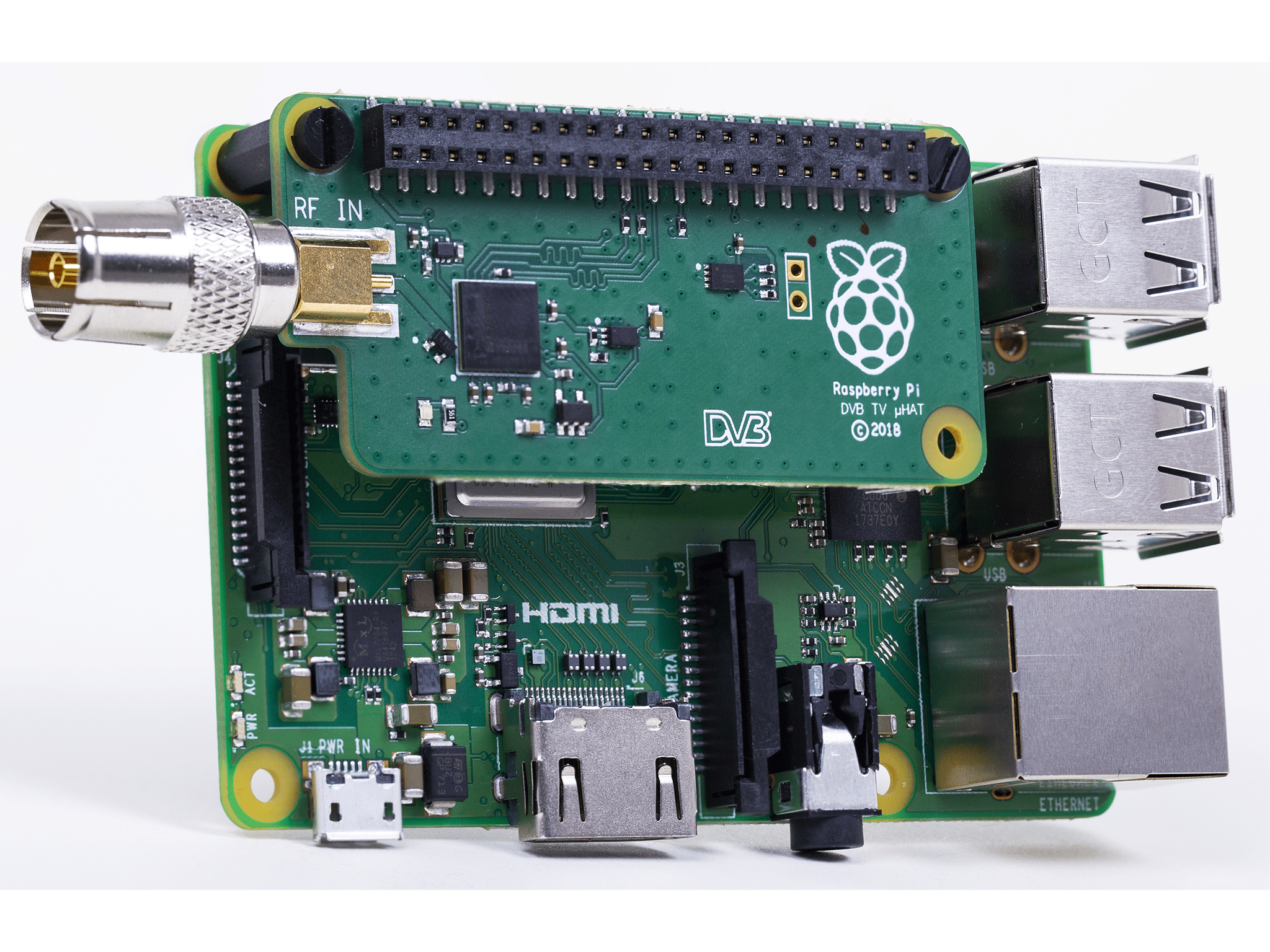
Raspberry Pi with DVB-T2 tuner overlay and standard antenna connector.

The availability of older generation consoles, and even connecting them to a modern TV, can pose problems. Raspberry Pi thus becomes an attractive alternative.
The second popular Raspberry Pi application is a console for so-called retro gaming, i.e., emulation of classic consoles: GameBoy, Super Nintendo, Sega, PSX, as well as Commodore, Amiga, Atari computers, etc. Systems already prepared for this purpose and configured for specific Raspberry Pi versions are available on the Internet and actively developed by the community of enthusiasts. Most of them are based on the universal frontend RetroArch, to which cores are uploaded, i.e., programs emulating the architecture of specific consoles (and even arcade machines, like MAME, i.e., Multiple Arcade Machine Emulator). After connecting a controller, you can play thousands of classic titles, known from childhood, and sometimes only from stories...
DIY
As already mentioned, the construction of Raspberry Pi facilitates connectivity with electronic modules, e.g., relay boards, motor controllers, LED lighting controllers, temperature sensors, humidity, distance, motion sensors, etc. This allows for many interesting projects in the field of robotics and home automation.
Robots will be an attractive challenge especially for students. The computing power of RPi allows for creating projects that can successfully compete in competitions. Combined with affordable motors, servomechanisms, chassis, and other modular mechanical elements, you can construct any platform – and then remotely control it using a computer (e.g., via Bluetooth). Here it is worth unleashing your imagination and remembering the possibilities offered by artificial intelligence: our robot can be a completely autonomous device.

To build a multifunctional robot, apart from Raspberry Pi, only a few elements are needed: motors, wheels, chassis, battery, and optionally, sensors.
A related field of devices that any DIY enthusiast can realize using Raspberry Pi is home automation. Using network connectivity and GPIO outputs, the constructor can create a lighting controller, ventilation, home condition monitor, greenhouse or garden. The computer consumes such small amounts of energy that it can work almost continuously, and therefore will always be listening for commands sent from a smartphone or performing tasks programmed by household members. Here you can also use ready-made solutions from the Internet, like Home Assistant, openHAB, etc. Moreover, it will not be difficult to connect such a controller with Google Assistant or Amazon Alexa devices, and thus control home automation using voice commands.
Network conveniences
We have already mentioned that the ease of connecting Raspberry Pi to WiFi or Ethernet (and, of course, the Internet) allows for many interesting projects. But we have not yet touched on applications that work exclusively on the network. The small computer can be placed near the home router, even completely hidden, where it will play a useful role, making life easier for residents.
Perhaps the most popular of such projects is a NAS server, i.e., a network drive. Thanks to it, we can store files in a network location – and have access to them from any device. Creating such a server requires installing only a few packages and connecting some form of memory to the RPi (optionally, a large SD card can be used, although a good practice here will be to separate system data from our archive). A pendrive, portable hard drive, or SSD module can serve as a file storage. The latter is easily connected using the M.2 HAT+ overlay provided by the manufacturer, which acts as an adapter between the PCI-E output and the M.2 interface.
Connecting an SSD drive (in M.2 format) using the Raspberry Pi M.2 HAT+ extension.
Raspberry Pi can be programmed in such a way that it regularly creates a backup of our data in the cloud, e.g., on Google Drive or Dropbox servers. Additionally, a VPN server can also be run on the computer, allowing us to connect to our drive even when we are outside the range of private WiFi. This solution will also work when Raspberry Pi manages home automation.
Another interesting application of Raspberry Pi is the implementation of an Internet camera, which will transmit the image (possibly also sound) to our own website or a chosen service (e.g., YouTube). In this way, you can realize streaming from an attractive viewpoint, animal feeder, etc.
Professional applications
Although Raspberry Pi gained popularity primarily as an educational tool, designers quickly realized the possibilities of this computer and began using it in professional applications. This trend has accelerated significantly in recent years, probably in line with the manufacturer's intentions, when the young generation that grew up with the first generations of RPi graduated and entered the career path. To have a full picture of the possible applications of the British computer, let's look at products where it serves as the main controller.
BMS Systems
The use of RPi in commercial projects has several advantages. Firstly, it involves significant cost reduction, as it allows the device and software to be based on open-source solutions. Secondly, the target product will be based on a widely described architecture, and therefore can be easily programmed by the client, which will be a very attractive option in many fields.
One of the applications where using Raspberry Pi significantly reduces costs is building management systems, or BMS (Building Management Systems). The potential functionality here is not limited to lighting automation – it also includes HVAC installations (Heating, Ventilation, Air Conditioning). The energy-efficient computer will also be suitable for monitoring indoor conditions (lighting, temperature, humidity), including in production halls or warehouses. Moreover, using specialized modules (e.g., A/C converters and current transformers), it is possible to aggregate data on energy consumption, as well as its acquisition from photovoltaic installations or other renewable sources.

Models of branded Raspberry Pi cameras have varied properties, available in high-resolution variants (over 12 megapixels), with a matrix registering light in the infrared spectrum, with wide-angle lenses, etc.
Monitoring
We mentioned above that Raspberry Pi is not only adapted to connect cameras – it also has enough computing power to conduct real-time image analysis. These two features are enough to construct an intelligent monitoring system, which, in addition to observation and access control, will automatically collect information such as vehicle registration numbers, portraits of people, date and time of movement in the camera's field of view.
Industrial Automation
Perhaps the most extensive field where Raspberry Pi finds its commercial applications is industrial automation. This is related to the growing popularity of the Internet of Things (IoT, Internet of Things) and the ongoing trend of informatization of production and logistics processes.
The devices that were first equipped with Raspberry Pi were PLC controllers (Programmable Logic Controller), modules controlling machines and robotics on production lines. Here the reason is obvious: the single-board computer is small enough to fit in a housing mounted on a standard DIN rail, and it also has interfaces and communication capabilities that facilitate adapting it to the needs of almost any typical installation in a machine park.

BrainBoxes brand industrial controllers are professional products based on Raspberry Pi computers – thanks to this, technicians can program them freely.
Of course, the computer can also be used for other purposes, such as collecting and analyzing data from sensors or detailed recording of processing/production stages, which subsequently serves to optimize various processes (e.g., testing, which we will discuss shortly). In such applications, many of the solutions already mentioned are used, such as information processing using neural networks. The main difference here will be the role played by Raspberry Pi: in home projects, it is the heart of the system, while in commercial applications, the computer is most often integrated into a broader SCADA system (Supervisory Control and Data Acquisition) or MES (Manufacturing Execution System).
Several manufacturers provide typically industrial accessories for Raspberry Pi, such as communication adapters compatible with Modbus, CAN, RS-485 buses, etc.
Diagnostics
Regarding automation, it is worth expanding on the topic of diagnostics and quality control. Raspberry Pi can be programmed to perform repetitive actions on circuits made for various devices, from single electronic modules to RTV equipment. Computers thus find their role in quality control, FCT processes (functional testing) and in serial programming of memories and microcontrollers already mounted on the board (ISP, in-system programming). They also allow automating diagnostics in services – after connecting to the serial port of the device, they communicate with their microprocessor/microcontroller and automatically perform basic tests.

Without robotics and automation, creating miniaturized circuits would be almost impossible, and above all, completely unprofitable.
Edge computing
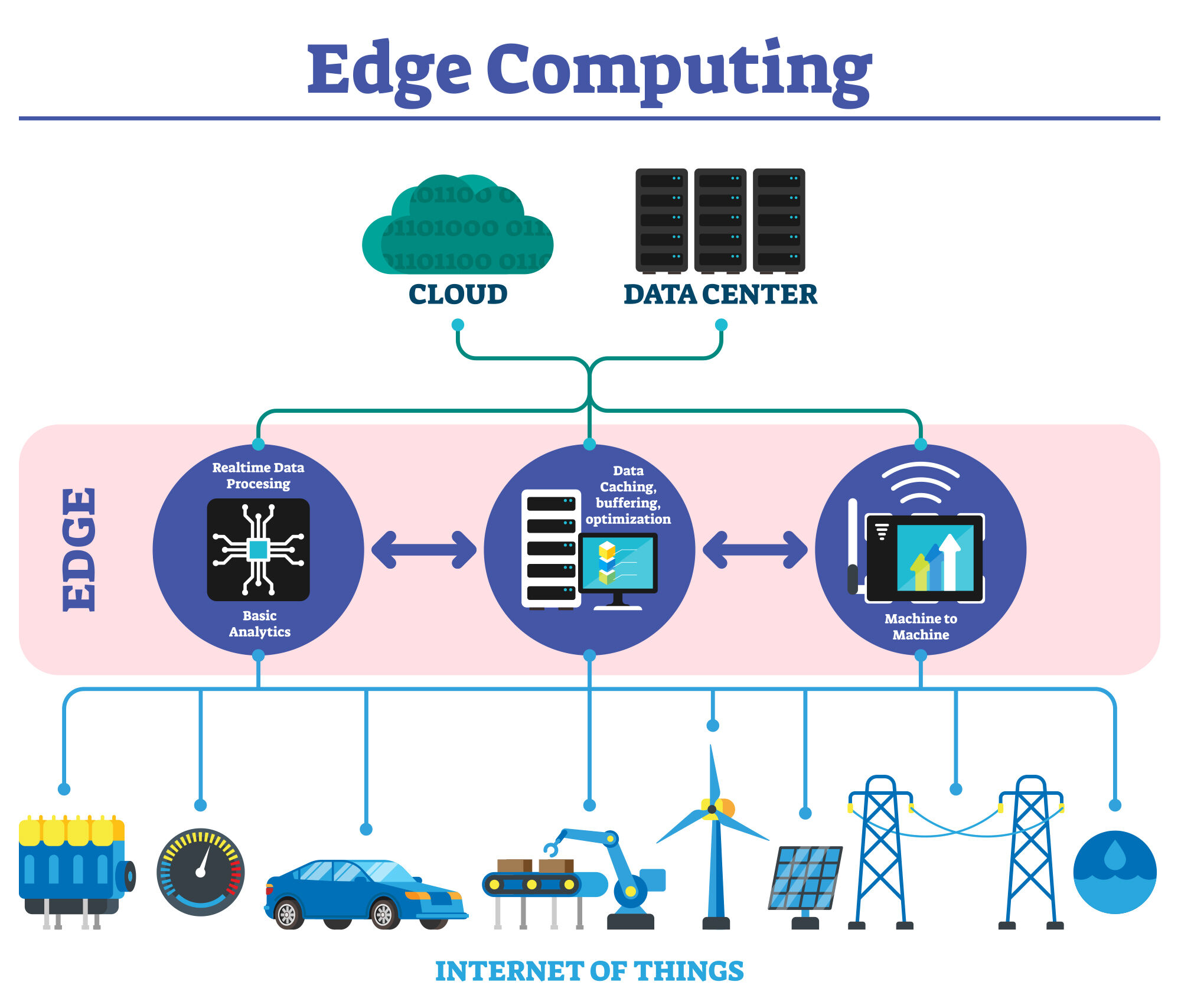
Simplified diagram of infrastructure based on the idea of edge computing.
When talking about Raspberry Pi, it is hard not to touch on the topic of edge computing, which we have already brushed against several times. It is a method of building sensor networks in which preliminary data processing and analysis occurs directly after measurements are collected, before the data reaches a centralized system.
Raspberry Pi tracking and analyzing street traffic in real-time.
The best illustration of such infrastructure is "smart cities". For example, a module placed on a pole contains a camera, records street traffic, analyzes the number of cars, and in case of detecting anomalies, sends a small data packet to the cloud, containing specific information (e.g., about a forming traffic jam, accident, recorded violation). Such an installation simplifies and speeds up communication. Of course, data transmission can also occur in the opposite direction, e.g., the central unit receives a signal about fog occurrence and instructs modules in a given area to change lighting conditions – meanwhile, the calculation of the required intensity and color of illumination remains on the side of computerized controllers working in the field. Similar solutions are used, for example, in managing public transport or distribution vehicle fleets.
Raspberry Pi perfectly meets the requirements of such computerization – primarily due to its energy efficiency (possibility of mobile work, using batteries or photovoltaic cells) and the adaptation of the Linux system for work in large network infrastructures.
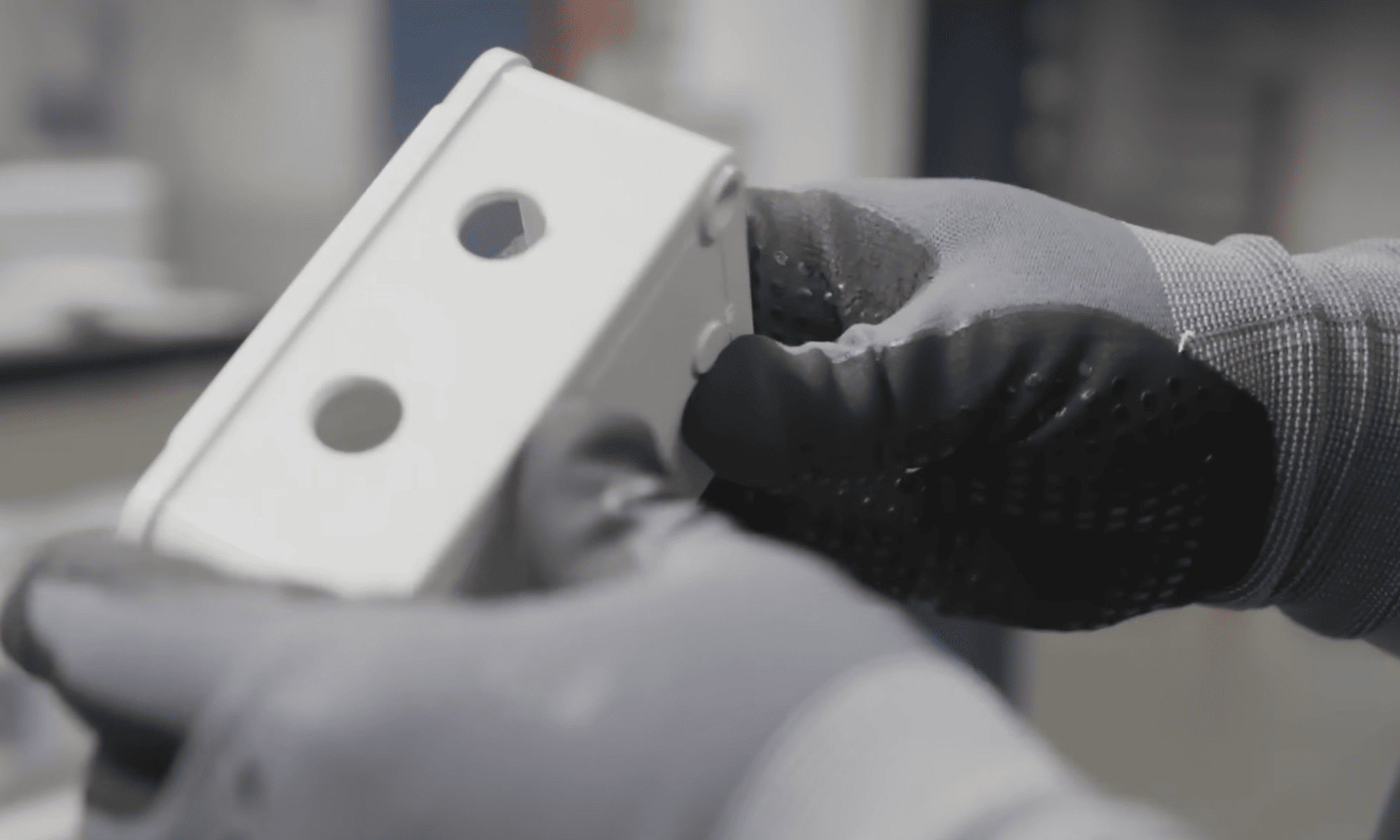
Special, industrial enclosures for Raspberry Pi integrated with expansion cards facilitate the use of the computer for unusual applications, even in harsh environmental conditions.
Scientific research
It is worth noting that all the features of Raspberry Pi mentioned here – data collection from sensors, connectivity, energy efficiency, mobility – perfectly match the needs of many scientific fields. Statistical, urban, ecological, agrotechnical, or meteorological research requires the aggregation of many pieces of information, often over a large area. Miniature computers can facilitate such projects. Other, more experimental, applications of RPi in science are related to conducting observations on a small and large scale: from microscopic, such as biological processes (e.g., culture development), chemical reactions (oxidation or corrosion development over long periods), to astronomical phenomena (tracking objects in the sky).
Experimentally, Raspberry Pi is also used for conducting medical observations, in spectroscopy, and many other disciplines. It can be boldly said that in scientific work – as in all the areas presented here – the applications of Raspberry Pi are limited only by the ambition and imagination of the users.
Transfer Multisort Elektronik (TME) is one of the world’s largest global distributors of electronic components, electrotechnical parts, workshop equipment, and industrial automation. The catalog includes over 1,500,000 products from 1,300 leading manufacturers. TME’s modern logistics centers in Łódź and Rzgów (Poland), with a combined area of over 40,000 m², ship nearly 6,000 packages daily to customers in more than 150 countries.
TME also invests in the development of knowledge and skills of young engineers and electronics enthusiasts through the TME Education project, and supports the tech community by organizing the TechMasterEvent series, promoting innovation and experience exchange.