How does a privacy filter work and why should you have one? A practical guide
How does a privacy filter work and why should you have one? A practical guideDate of publication: 04-09-2025 🕒 8 min read
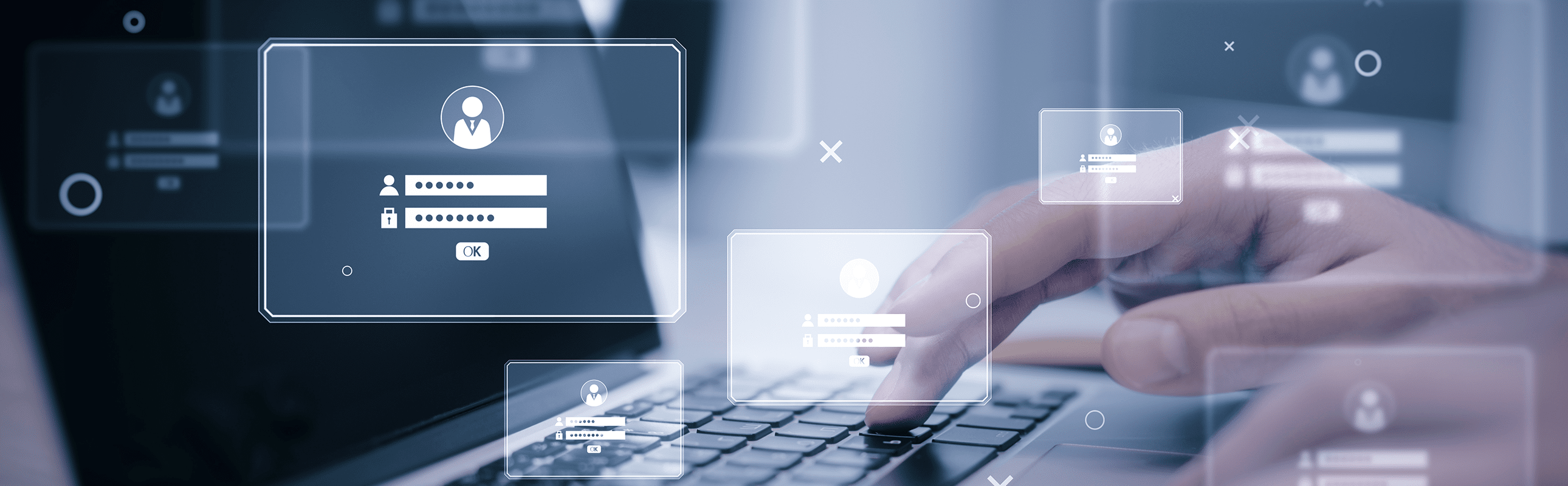
In the era of remote work, open-space offices, and frequent travel, it is becoming increasingly difficult to maintain privacy on a laptop or smartphone screen. Just a moment of inattention is enough for bystanders to see confidential data, emails, or passwords. The solution to this problem is privacy filters – simple yet effective accessories that limit the screen’s viewing angle to the user only.
In this article, we explain what privacy filters are and how they work. We provide guidance on when to use them, their pros and cons, and how to choose the right model for your needs. You will also learn how to correctly install a filter to ensure maximum comfort and security while working. Privacy filters
Key information at a glance:
- A privacy filter protects the screen against the so-called “shoulder surfing” phenomenon
- Two main types are available: hardware (overlays) and software (e.g. AMD Privacy View, HP Sure View)
- Filters are useful in public spaces, open-space offices, and customer service desks
- Main user groups include businesses, professionals in data-sensitive industries, and individual users
- Advantages include data protection, glare reduction, and additional screen protection against scratches
- When choosing a filter, consider screen dimensions, mounting type, and extra features such as anti-glare or blue-light filtering
- On-screen privacy protection is an important element of data security in everyday work
What is a privacy filter and what is it used for?
A privacy filter, also known as a privacy screen, is a special overlay or software solution that limits the screen’s viewing angle. As a result, the content displayed on the monitor is visible only to the person sitting directly in front of it. This is an effective way to protect confidential data from prying eyes, especially in public places or open-space offices.
Filters are used not only in work environments but also in everyday use of mobile devices. They can help anyone who wants to avoid accidental disclosure of sensitive information such as login credentials, emails, or company documents.
Privacy filters can be divided into two main types – hardware and software. Both serve the same purpose, i.e. protecting user privacy, but differ in how they operate and are applied.
Why is screen privacy important?
In today’s world of remote and mobile work, protecting visual privacy has become just as important as digital security. One of the most common threats is the phenomenon of shoulder surfing – when third parties look at your screen. This can lead to leaks of sensitive information, such as:
- login data and passwords
- business and private messages
- financial or medical information
Visual data theft requires no advanced technology – simply being in a crowded train or café is enough for an unauthorized person to easily glimpse displayed content. Privacy filters serve as a simple yet effective barrier against this risk, ensuring work comfort and security.
How do hardware and software privacy filters work – key differences
Hardware filters – micro-louvers and polarization technology
Privacy filters rely on micro-louver technology, similar to miniature blinds embedded in a thin layer of material. Each microscopic louver directs light only towards the user sitting directly in front of the screen. As a result, people viewing from the side see only a dark or completely black screen.
The restricted viewing angle typically ranges from 30° to 60° relative to the screen’s central axis. This means that anything outside this range is invisible to bystanders. This effect provides simple and effective protection against unauthorized viewing of sensitive information. It is especially important in public places, where the risk of screen-peeking is highest.
Hardware filters protect privacy by means of a physical barrier – a thin overlay placed on the screen. Their operation is passive and independent of device software. They are therefore suitable not only for desktops and laptops but also for smaller everyday devices such as smartphones and tablets.
Software filters – dynamic protection
Software filters, on the other hand, work in a more dynamic way. They use the device’s built-in cameras to track the user’s head and eye movements. Areas of the screen outside the user’s line of sight are automatically dimmed or blurred. Examples include AMD Privacy View and HP Sure View. The first is available for AMD Radeon graphics card users, while the second is built into selected HP laptops and can be activated with a single button.
This approach allows software filters to adapt to circumstances and disable protection when it is not needed. However, this solution is more dependent on the device’s hardware and software than traditional overlays.
Both types of filters have their advantages and limitations. Hardware filters guarantee constant protection, independent of software and system resources, while software filters offer more dynamic screen visibility control. The choice depends on the type of work, device, and environment where they are used most often.
When and for whom is a privacy filter necessary?

Scenarios for privacy filter use
Privacy filters are increasingly needed in environments where the risk of visual screen spying is high. They are used in both mobile work and stationary office settings.
Working in public spaces such as cafés, trains, or airports carries a high risk of accidental or intentional viewing of displayed content by people nearby. Just a few seconds of inattention may allow someone to see login details, confidential emails, or company documents. A privacy filter solves this problem, ensuring that the screen remains visible only to the device owner.
Equally important are open-space offices, where many workstations are located close together. In such conditions, protecting privacy becomes challenging, especially if screens display client data or internal company documents. Privacy filters limit content visibility to those sitting directly in front of the monitor, enhancing data security.
Customer service desks are another area where filters prove practical. Employees dealing with sensitive data, such as personal or financial information, can shield it from bystanders’ eyes, building customer trust and supporting compliance with data protection requirements.
User groups
Privacy filters are used across various environments, with users having different needs. From companies ensuring compliance to private individuals seeking greater comfort – everyone can benefit from screen protection against unwanted glances.
Businesses and institutions increasingly invest in privacy filters to protect employee, client, and partner data. In many industries, this is part of an information security strategy that helps meet European GDPR requirements and other data protection regulations. This reduces the risk of visual data theft in open-space offices or customer service points.
Specialists in finance, healthcare, and public administration also rely on privacy filters. Bank staff, government employees, and medical personnel often handle sensitive information, where screen placement may expose data to accidental disclosure. Filters help secure information displayed on screens, increasing both security and professionalism.
Private users also increasingly choose privacy filters for comfort and privacy. People using laptops or smartphones in public spaces – such as cafés, airports, or public transport – can work, check emails, or make bank transfers without fear that unauthorized individuals will see their screen.
Are privacy filters effective?
The effectiveness of privacy filters is confirmed by both manufacturer research and user feedback. Practical examples show that using filters in companies minimizes the risk of data leaks caused by shoulder surfing. Individual users who often work in cafés or travel report a significant increase in safety and comfort.
Manufacturers also highlight additional benefits of using filters, such as glare protection or reduced blue-light emission, which improve ergonomics and comfort during screen time.
NOTE! Effectiveness may vary depending on lighting conditions and viewing angles. Privacy filters do not guarantee 100% protection in all situations – and above all, they cannot prevent risks caused by human negligence!
Advantages and disadvantages of privacy filters
Advantages
Privacy filters offer a range of benefits that make them valuable solutions in both business environments and among private users.
The primary function is privacy and data protection. By narrowing the viewing angle, the screen becomes invisible to bystanders, shielding sensitive information from visual access.
An additional advantage is glare reduction and blue-light filtering. Modern models often feature matte coatings that minimize reflections and coatings that block part of blue light, reducing eye strain during extended computer use.
Filters also act as extra protection against scratches, dust, or fingerprints. This is especially useful for portable devices like laptops and tablets.


Disadvantages
Despite many advantages, privacy filters also come with certain limitations.
Possible reduced screen brightness is a result of the additional layer on the display. For the user sitting directly in front, the image remains readable but may require increasing monitor brightness.
Teamwork challenges can arise when multiple people need to view the screen simultaneously. The limited viewing angle forces everyone to sit directly in front of the monitor, which can be inconvenient.
The cost of purchase, depending on quality and brand, may also be a factor. However, it is worth noting that reputable manufacturers’ filters, while often more expensive, deliver better image quality and durability.
How to choose a privacy filter?
Choosing the right privacy filter is key to ensuring effective protection and work comfort. The variety of available models makes it important to pay attention to several key criteria.
Size
Matching the size and aspect ratio of your screen is fundamental. Each filter should fit the display perfectly, so measure screen width and height (excluding bezels) before purchase. Manufacturers offer models for common screen diagonals, as well as dedicated filters for specific laptops, tablets, and smartphones.
Mounting type
Mounting type also matters, especially if the filter will be used in different conditions. Fixed filters are suitable for workstations requiring constant protection. Removable models are useful for mobile users needing flexibility. Magnetic filters are increasingly popular, allowing quick installation and removal without glue or frames.
Tint level and extra features
Tint level and features can significantly affect usability. Look for anti-glare coatings that reduce reflections and blue-light filters that help protect eyesight during long work hours. Dual-sided models are also available, offering a choice between matte and glossy surfaces depending on preference and lighting.
How to install a privacy filter?
Installing a privacy filter is simple and requires no special tools. The method depends on the filter type and user preference.
Mounting methods
Adhesive privacy filters are one of the most popular options. They use adhesive strips to attach permanently to the screen. Ideal for devices where the filter will be used constantly, but removal may be less convenient.
Mounting frames allow repeated attachment and removal. Plastic or metal guides let you slide the filter onto the screen and remove it when not needed. Best for situations where privacy protection is required only occasionally.
Magnetic systems are becoming increasingly popular, especially for laptops. These filters contain thin magnets holding them onto the screen, enabling quick mounting and removal without leaving residue. Magnetic filters are convenient for mobile workers.
How to install an adhesive privacy filter – step by step
Proper installation ensures lasting fit and effectiveness. Just a few simple steps are required:
- Thoroughly clean the device screen with a microfiber cloth and screen cleaner. These accessories are often included by manufacturers.
Privacy filters – cleaning cloth sets
- Remove dust, fingerprints, and debris that could hinder adhesion.
- Align the filter with the screen to confirm correct size.
- Peel back a corner of the protective film on the adhesive side.
- Carefully apply the filter starting at the top edge, pressing evenly downward.
- If needed, smooth out bubbles using a cloth or the edge of a card.
- Ensure the filter is aligned properly and does not block any screen or frame elements.
Note: Adhesive filters are not intended for repeated removal and re-application.
Summary
Privacy filters are simple yet highly effective tools for protecting confidential information from unwanted glances. Investing in one enhances data security, work comfort, and a sense of privacy – both in the office and on the go.
When choosing, consider screen size and aspect ratio for perfect fit. Also, select the right mounting type for your work style. Extra features like glare reduction or blue-light filtering can further improve comfort.
In everyday work, data protection should be a priority. A privacy filter is just one layer of security, but a crucial one in environments with high risk of screen peeking. Remember, privacy is not just about technology – it’s also about responsibility for information security.
Transfer Multisort Elektronik (TME) is one of the world’s largest global distributors of electronic components, electrotechnical parts, workshop equipment, and industrial automation. The catalog includes over 1,500,000 products from 1,300 leading manufacturers. TME’s modern logistics centers in Łódź and Rzgów (Poland), with a combined area of over 40,000 m², ship nearly 6,000 packages daily to customers in more than 150 countries.
TME also invests in the development of knowledge and skills of young engineers and electronics enthusiasts through the TME Education project, and supports the tech community by organizing the TechMasterEvent series, promoting innovation and experience exchange.